
Idea behind this
I’ve spent too many frustrated moments trying to get a perfect multimedia setup at university events. And given that these are university events, they’re done on a very low budget. Capture cards, ATEM Minis, proper switchers — most of the time, those just weren’t an option.
So we improvised. Sketchy setups. Running OBS Studio on two different laptops and feeding one’s output into the other as an input source, just to pull off complex presentations. Wiring things together with whatever cables we had. Praying nothing dropped mid-show.
And phones? There was no good way to quickly connect a phone to OBS wirelessly — and reliably — for behind-the-scenes shots and quick camera angles. You’d either tape a USB cable to something and hope for the best, or give up and skip the shot entirely.
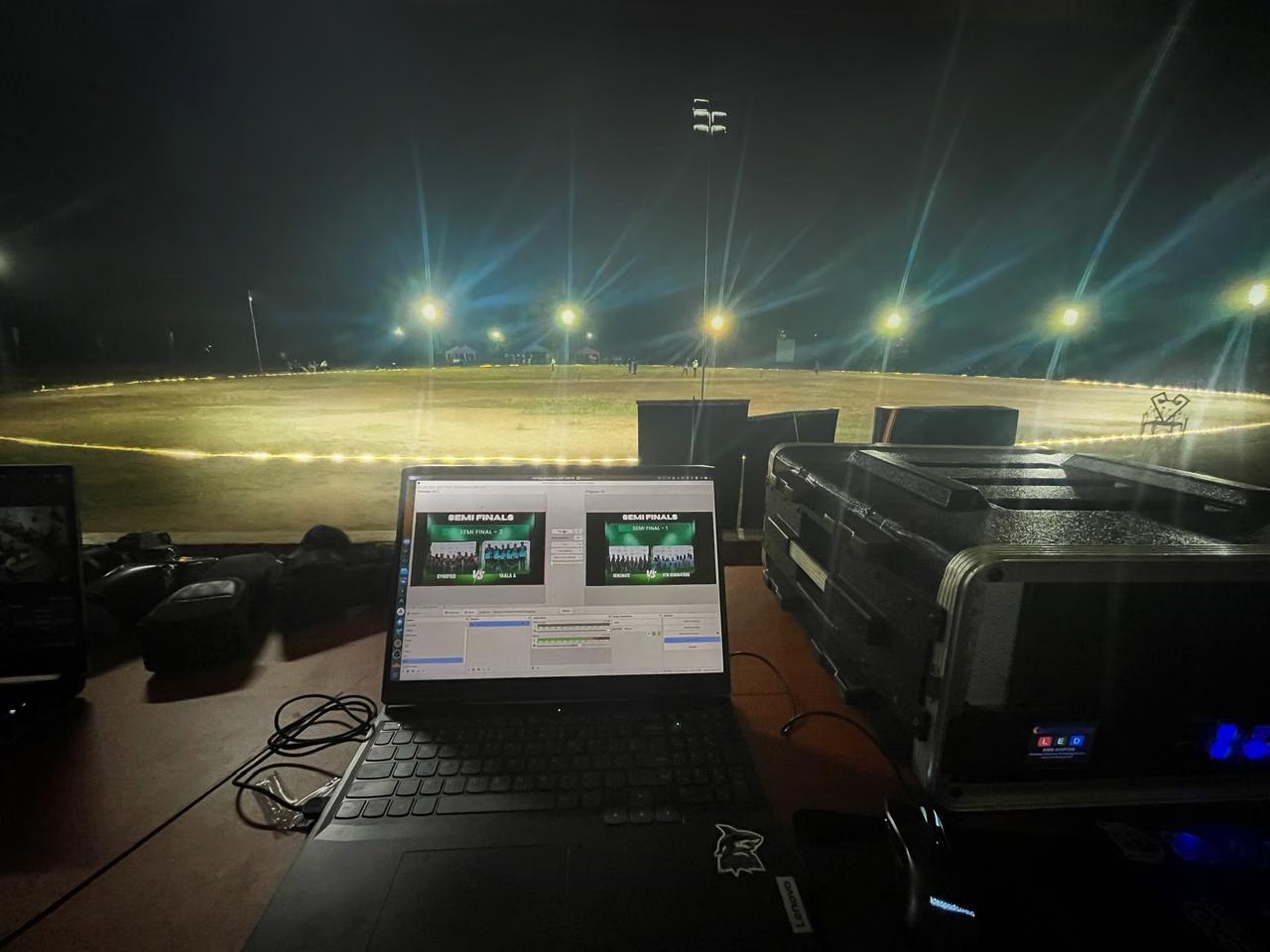
I picked up a lot of this the hard way working backstage at events like Future Innovators Challenge, IESL RoboGames, and CSE Hit The Grounds. Night matches, floodlights, a laptop on a flight case, graphics for semi-finals — all of it held together with OBS and stubbornness.
At some point I got tired of the stubbornness. That’s why I built CutWire Prism.
What Prism actually is
Prism is a free, open-source live media trigger and overlay tool. Think of it as the thing you wish you had when the budget said “no” to real broadcast gear.
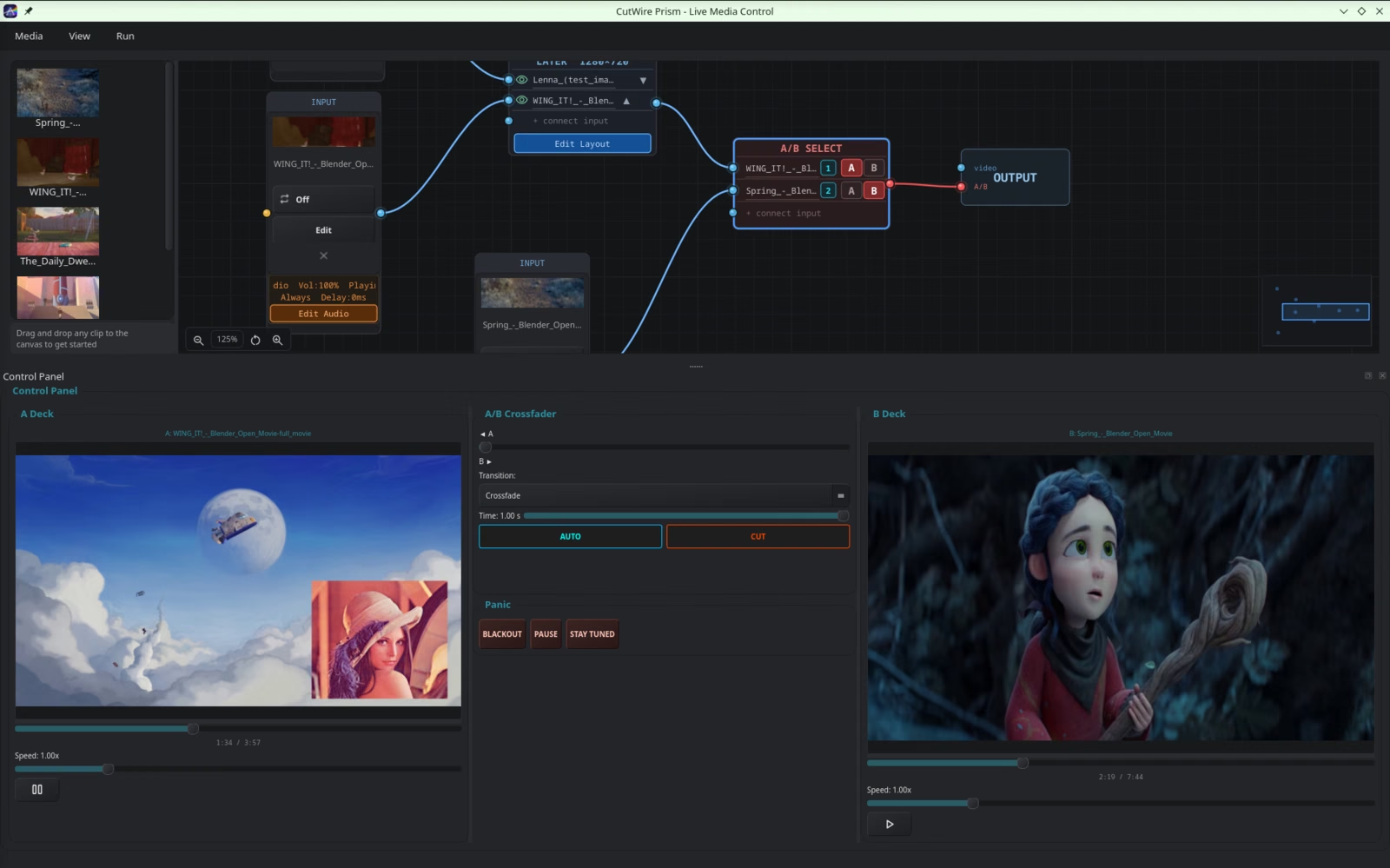
You wire media sources together on a node canvas, mix them live on A/B decks, and send the result to a projector, stream, virtual camera, or recording. No capture cards required. No ATEM Mini. Just a laptop and whatever cameras / clips / phones you already have.
The pitch is simple: professional VJ software is either expensive and complex (Resolume) or has a brutal learning curve (TouchDesigner). Prism is built so a volunteer running visuals at a school match can be useful within ten minutes.
How it works
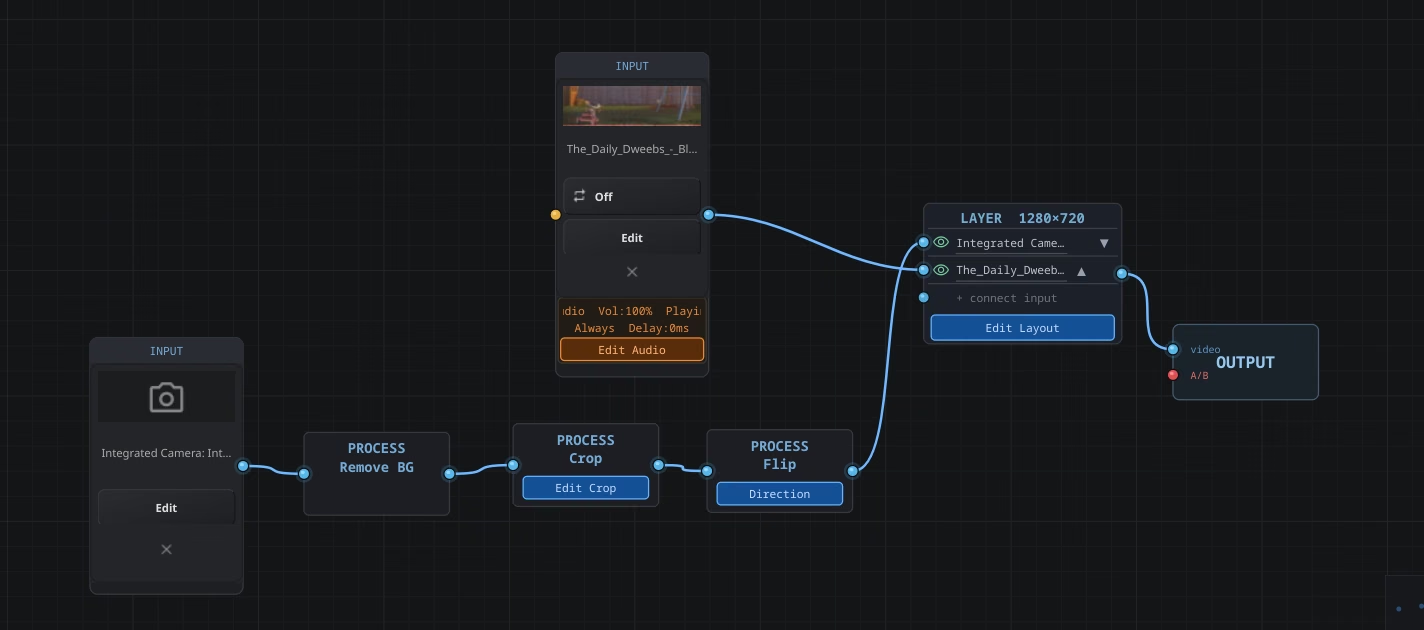
Everything lives on a node graph. You wire nodes in a pipeline:
Input → Process → Layer → A/B Select → Output
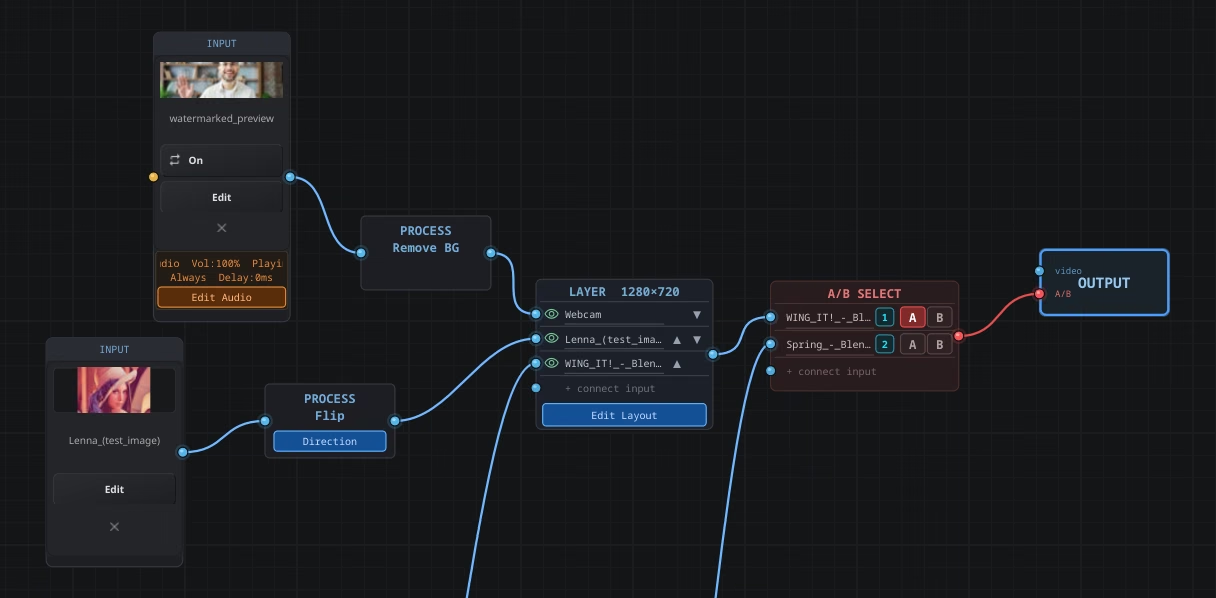
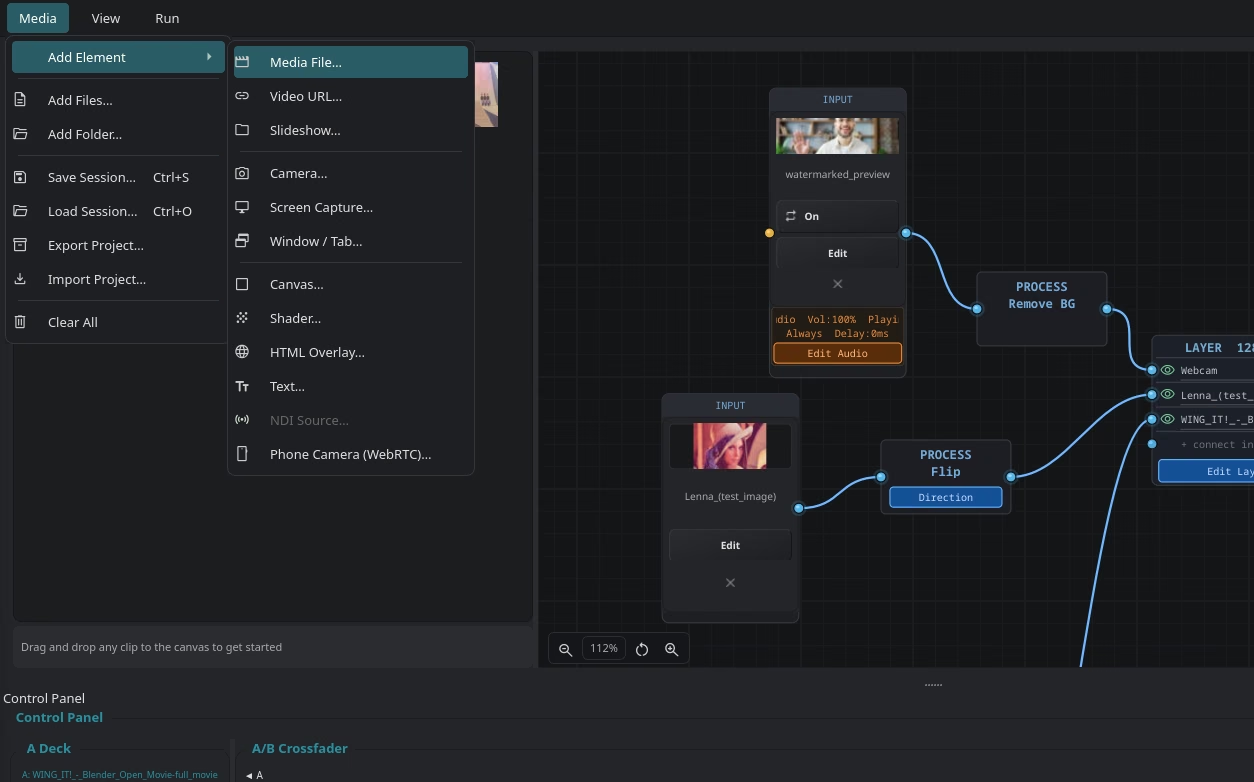
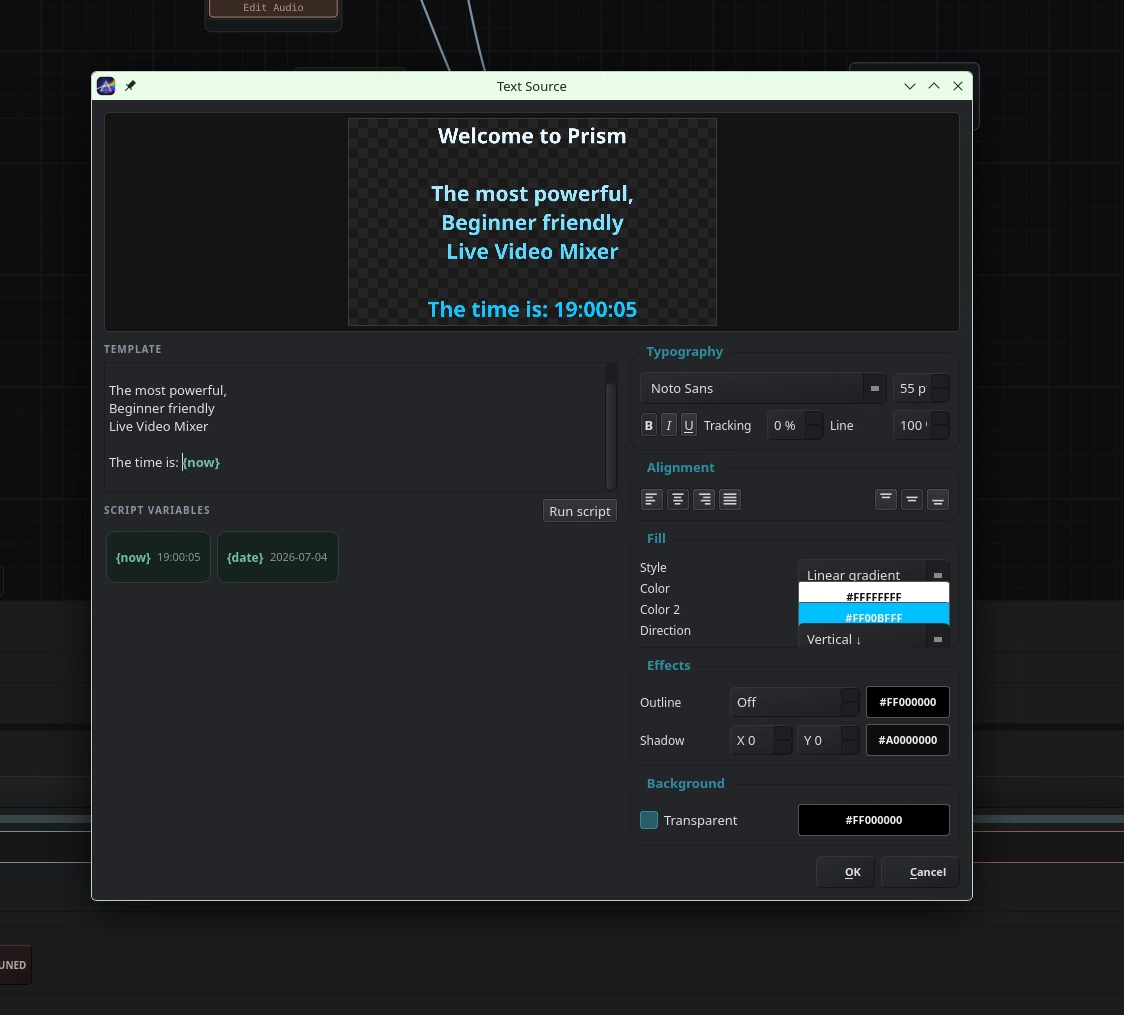
Inputs can be pretty much anything — video files, images, slideshows, webcams, screen capture, GLSL shaders, HTML/QML overlays, NDI, or a phone camera over WebRTC.
Process nodes let you crop, flip, or even knock out a webcam background with AI (no green screen). Layer nodes stack multiple inputs. Then you assign stuff to Deck A or Deck B and mix live with a crossfader, AUTO / CUT, and a bunch of transitions.
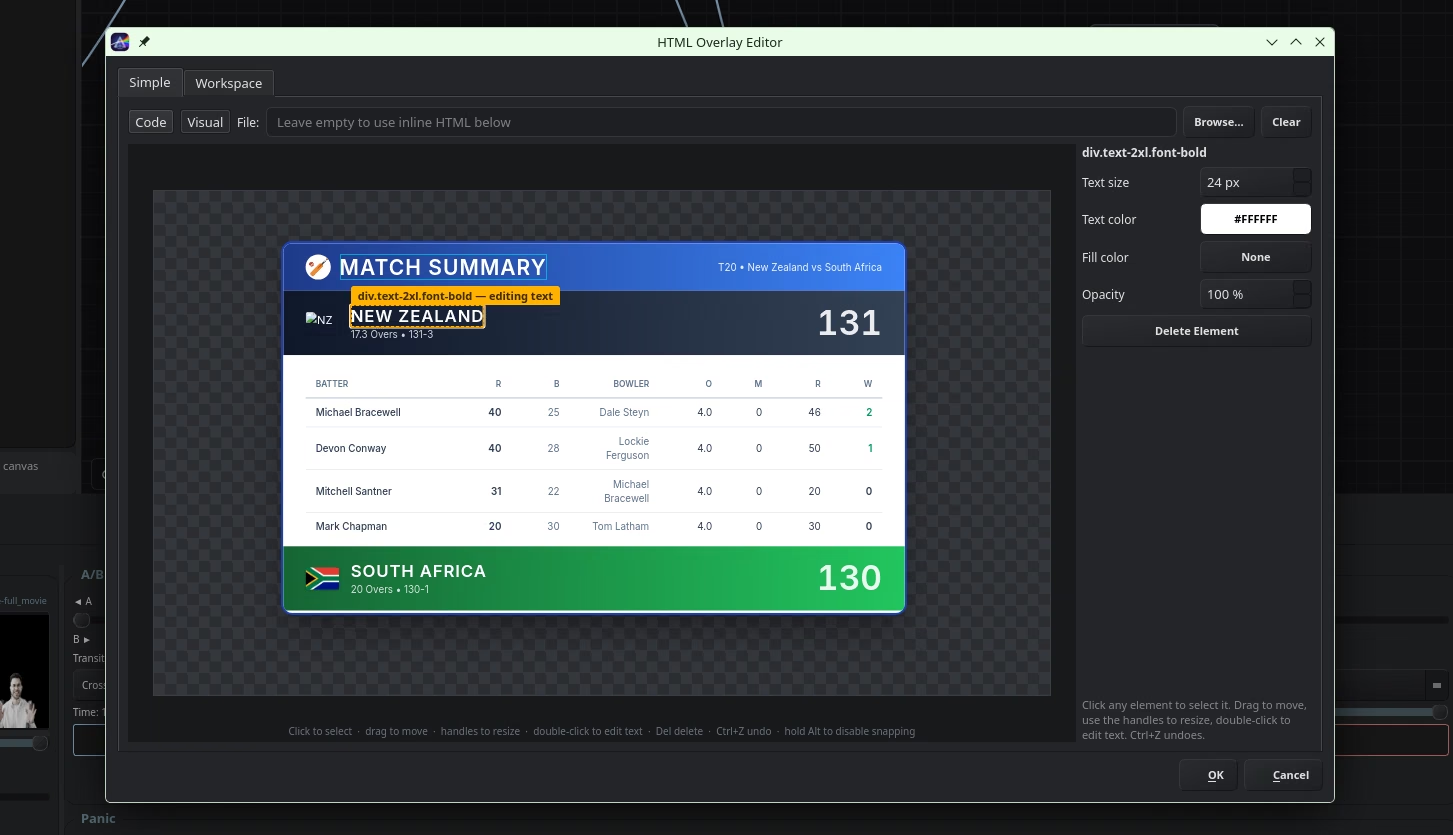
Need a scoreboard or countdown for a cricket match? Drop in an HTML overlay and edit it visually.
And when something goes wrong mid-show — because it always does — there are panic buttons: Blackout, Pause (freeze the current frame), and a Stay Tuned overlay. Always reachable. Always faster than diving into OBS scene lists while the audience stares at a frozen desktop.
The phone camera thing
This was one of the big pains that started the whole project. Want a behind-the-scenes angle or a quick walkaround shot? In Prism, you stream a smartphone camera over WebRTC, pair it by scanning a QR code, and it shows up as just another input on the node graph. No capture card. No USB drama. Works over LAN or a public relay.
Built for the events I actually work
Prism is aimed at exactly the situations I kept ending up in:
- School and college event teams running cricket / football highlights, replays, and prizegiving visuals
- Small concerts that need music videos and audio-reactive shaders
- Sports broadcasting on a shoestring — score overlays, freeze-frames, program recording
- Anyone feeding a mix into OBS as a virtual camera
Sessions save, assets relink if you move files, and you can pack a whole show into a portable .prism bundle to take to another machine.
Tech Stack
Qt 6, C++20, FFmpeg, OpenGL, Qt Multimedia / WebEngine, Lua + sol2, kissfft, ONNX Runtime (MediaPipe selfie-segmentation), libdatachannel (WebRTC), NDI (optional), CMake, Flatpak
Get it
Free and open source under GPLv3. Available on Flathub, with Windows / AppImage builds on GitHub Releases.
flatpak install flathub org.cutwire.Prism
flatpak run org.cutwire.Prism